
GEN AI - BLOG -11.20.25
Exploring Dreamina’s MultiFrames Feature
I just tested the latest Dreamina's MultiFrames feature (by ByteDance) and explored how it can help editors and designers connect up to 10 frames at once to create seamless cinematic transitions. Here’s a short video I made using this feature and a peek at how I put it together.
Note: I used AI-generated images, but the same approach would work even better with live-action shots.
Deciding Style and Tone
I am passionate about creating seamless transitions, and this project presented a unique challenge to explore that technique further. Before diving in, I focused on defining the style and tone. I drew inspiration from Doctor Zhivago for its poetic winter atmosphere, mixed it with the refined mystery of Murder on the Orient Express, and added touches of Wes Anderson’s visual precision.
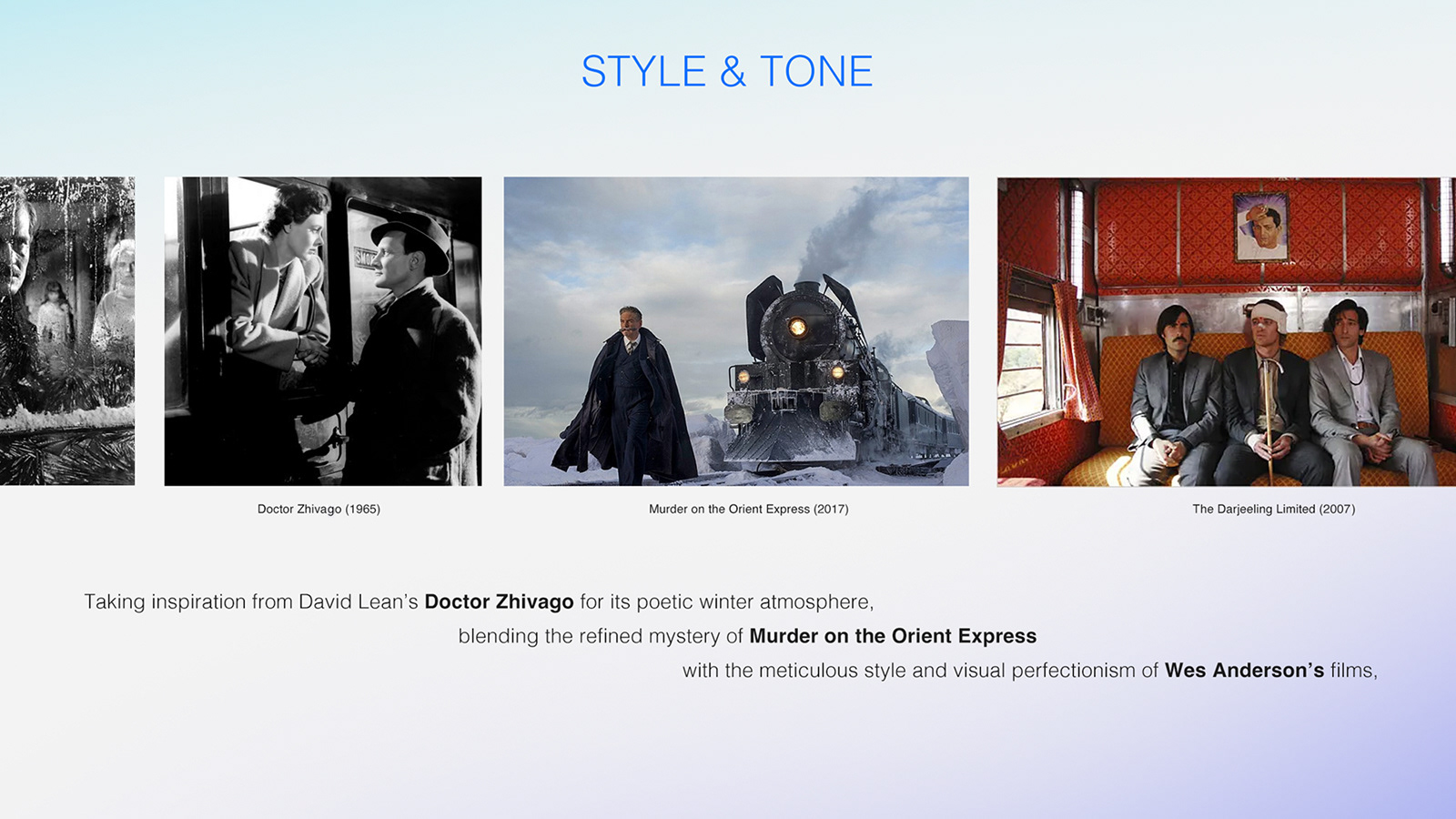
I created a style guide to gather ideas and guide me whenever I’m stuck. It’s a great way to combine inspirations and build momentum at the start. Here’s a preview of one page from my style guide.
Moodboard: Blending AI and Creativity
Creating a moodboard is one of the most important steps in any creative work. Today AI is transforming moodboard creation, making it faster to generate references, explore variations, and experiment with new directions while keeping creative control in human hands.
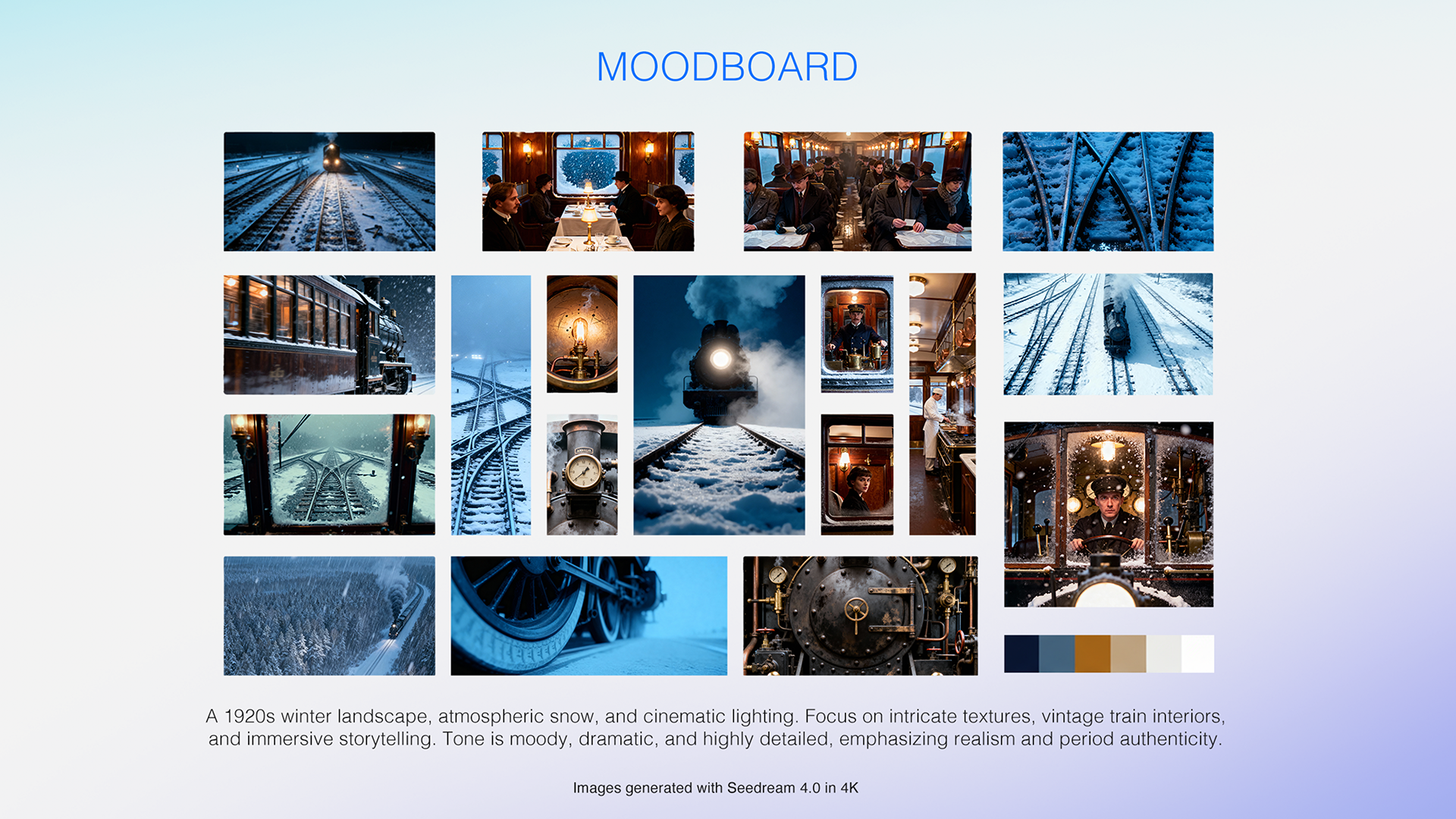
Even if you’re hesitant about using AI in the creative process, it’s a good idea to keep it as a tool in your pocket. Remember, using AI in the development process is no different than having a reference book on your shelf or Pinterest on your phone.
Planning Shots and Flow
Once the concept was clear, things moved more easily. Since I didn't have any actual footage to test, I used Dreamina’s text-to-image generation tools to generate reference images. I then drew a quick storyboard by hand to plan out camera movement and shot flow.

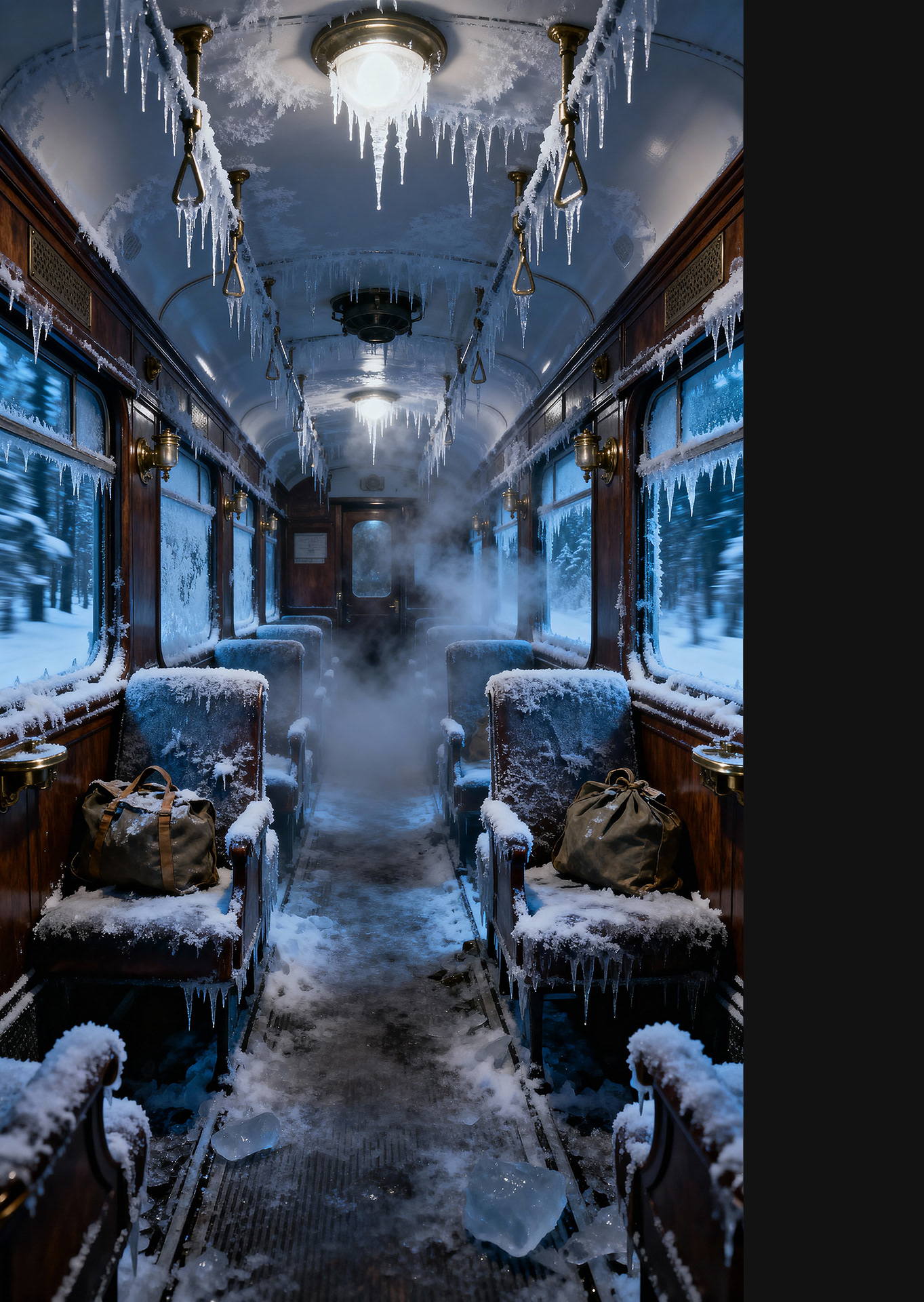
Here’s an example of a prompt I used while creating the piece.
Prompt: An empty 1920s steam train carriage, fully iced over as if post-apocalyptic. Deep frozen blue tones dominate, frost covering walnut wood paneling, brass fixtures, seats, and scattered bags frozen solid. Sharp icicles hang from the ceiling and overhead fixtures, some piercing downward, catching faint moonlight. Frosted windows reveal a snow-covered forest outside. Steam and mist drift through the icy interior, interacting with sharp ice textures.
Settings: 9:16 - Seedream 4.0 4K
Dreamina's MultiFrames: Connecting Shots Made Simple
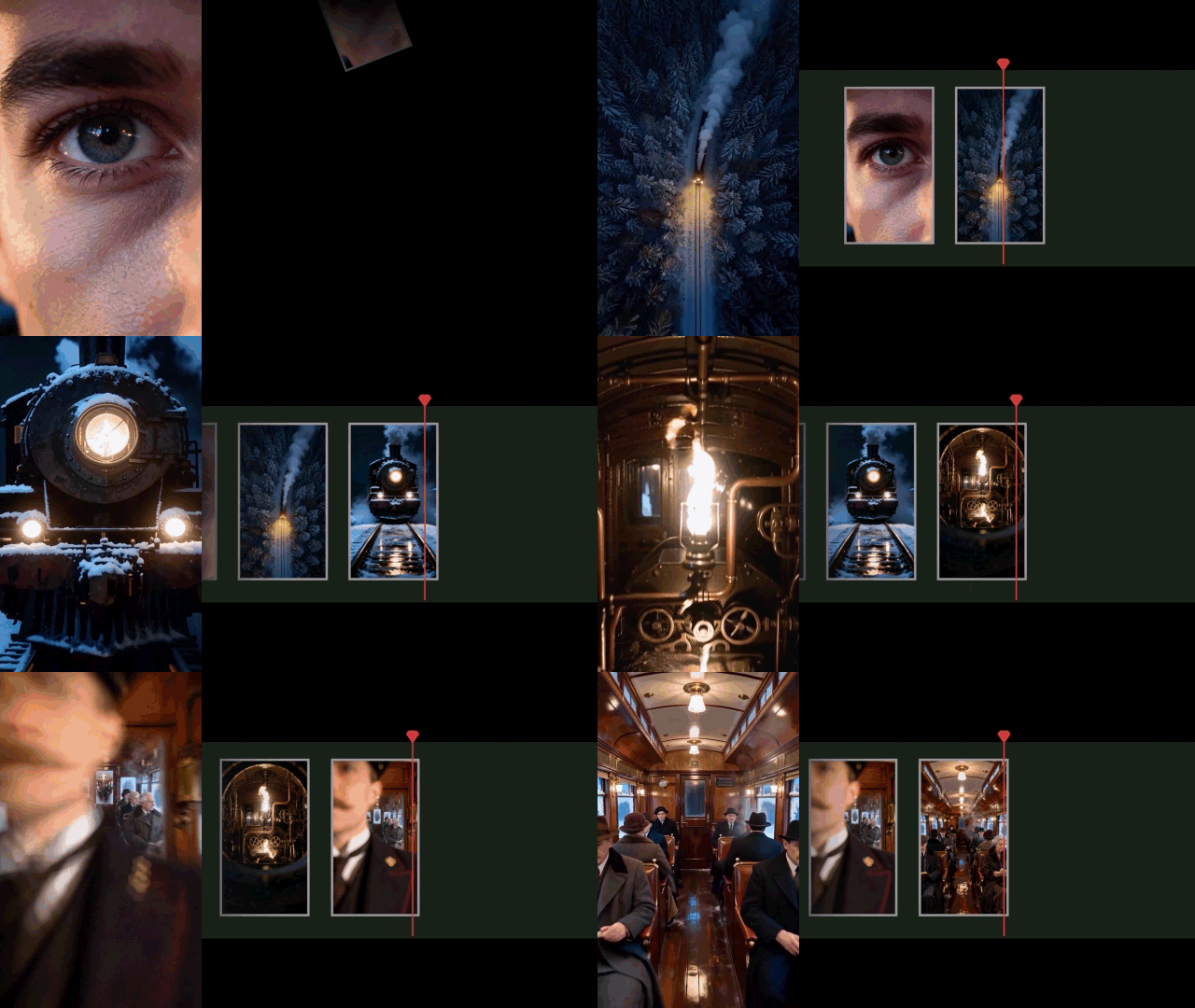
Feeding the frames into #DreaminaMultiFrames was surprisingly simple! It connects up to 10 frames at once, and you just describe camera moves in your prompts and adjust the timing setting between frames. Careful planning beforehand is key!
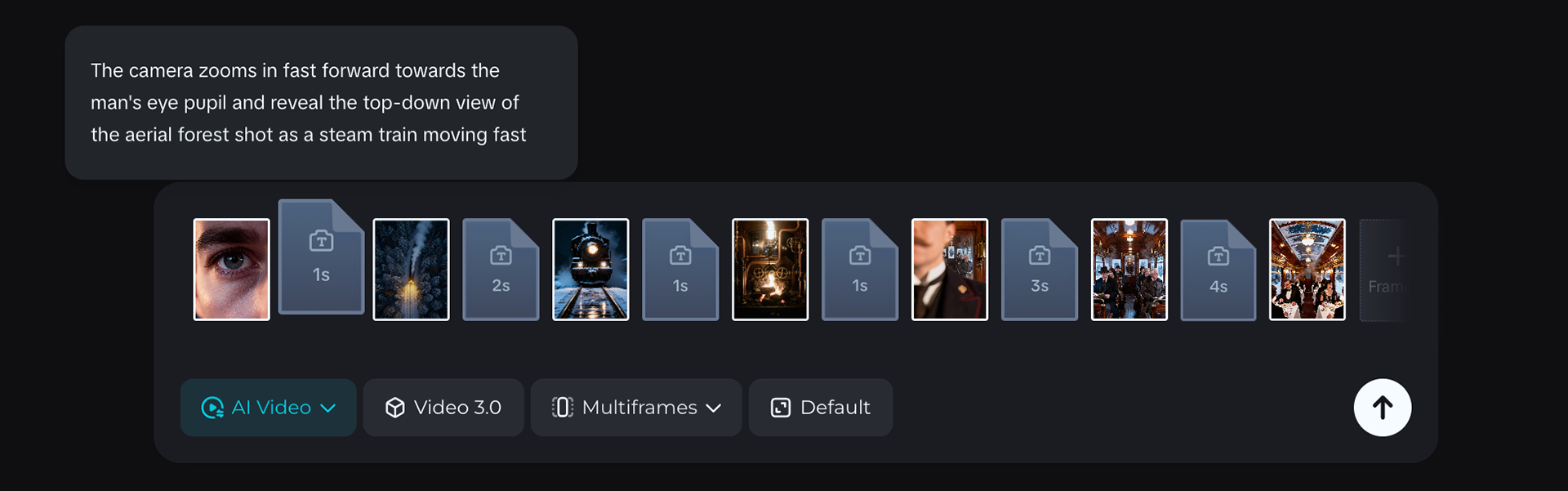
Screenshot showing Dreamina’s Multi-Frame feature in action, with multiple frames added, allowing you to adjust transition durations and add prompts between shots.
Crafting the Rhythm and Pacing
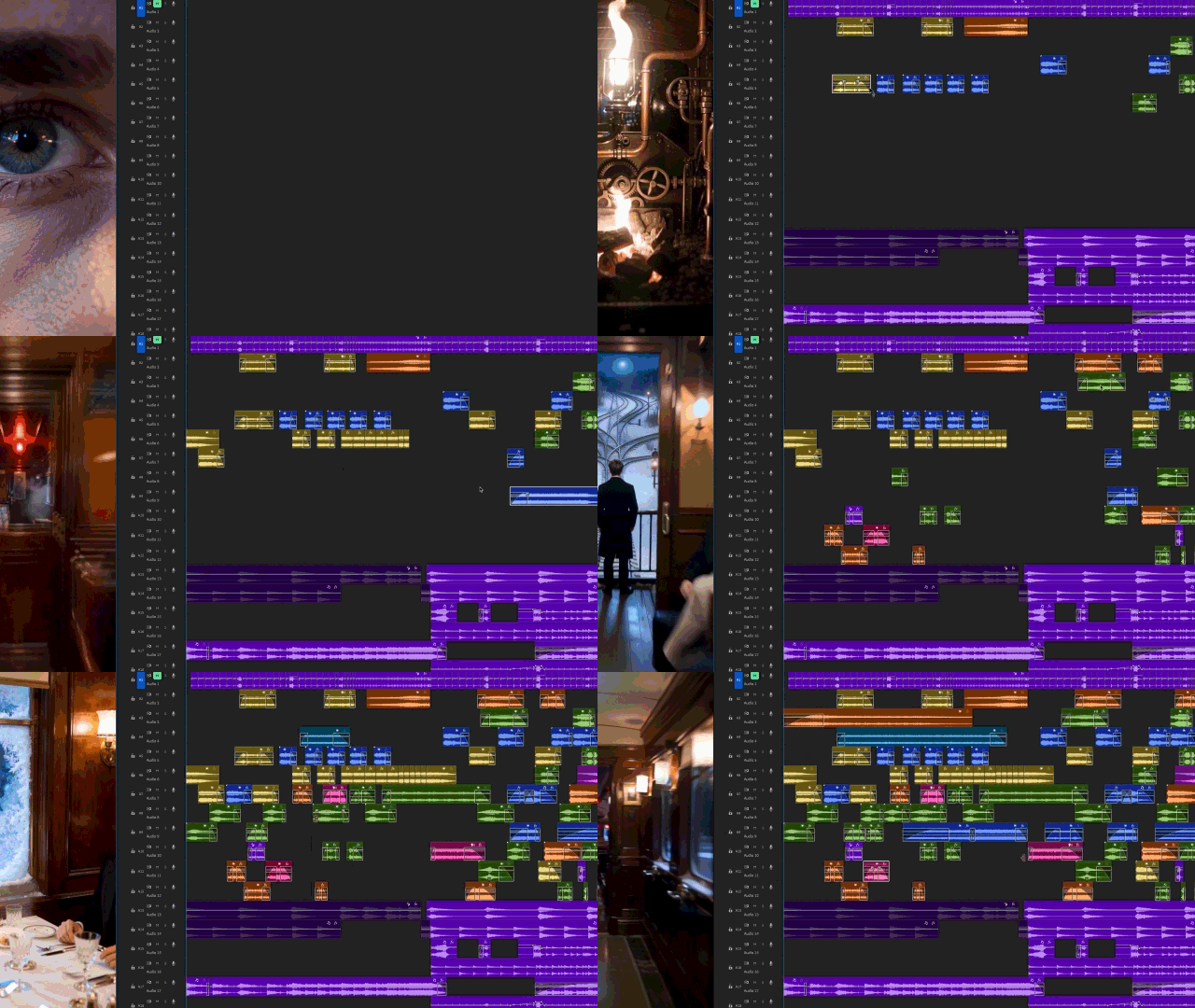
Sound design played a big role too. I mapped train wheels, steam hisses, cabin ambiance, and mechanical sfx on the timeline. This helped me fine-tune rhythm, pacing, and flow. Take a look at the timeline to see how sound and motion work together.
I learned a lot experimenting with Dreamina’s tools along the way. I put together a detailed PDF with the style guide, the prompts I used, and the frames I generated. I will be sharing them soon!